
The construction industry requires precision, efficiency and production. These calculators are useful for Civil engineers, Site Supervisors, Civil Engineering students, Mechanical Engineers, Construction Project Managers, Construction Store Manager, Fresher Engineers, Construction Contractors, Building Contractors, Store Keeper, Site Execution engineers, Estimation engineer, and many more. Even someone who only needs to do basic home calculations will find these apps useful. You can calculate the plot area so it will be useful for Real estate agents as well. Available on both the Google Play Store and the App Store. Let’s explore the top picks that should be in every construction professional’s digital toolkit.
1. Construction Calculator A1
Available on: Play Store | App Store
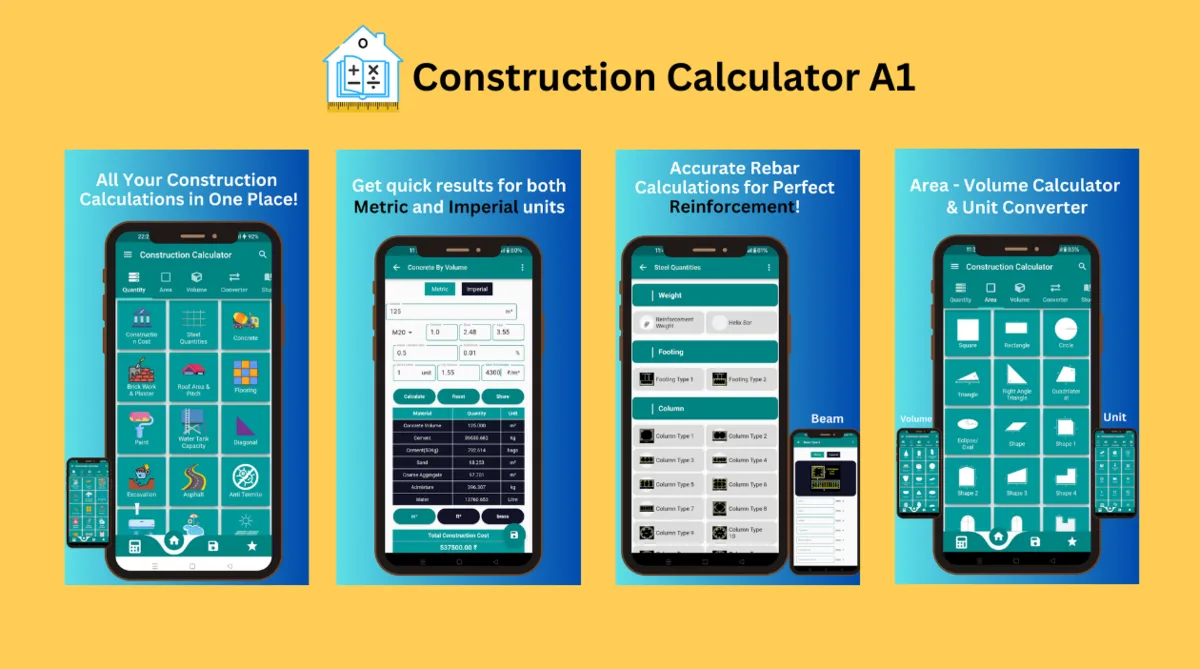
Construction Calculator A1 can calculate with the Imperial Measurement System & Metric Measurement system. The app also supports a dark theme. Construction Calculator A1 is a free Android and iOS application for construction calculations. It uses simple tools in the application to simplify the calculations for the construction industry and also helps to calculate almost all kinds of area, estimation calculation, volume calculation, unit converters, and normal calculator as well. The application is divided into parts like quantity calculator, area calculator, volume calculator, unit converter, and normal calculator.
Building calculator is divided into the following four categories
Quantity Calculator includes-
-Reinforcement Steel Calculator, Steel weight Calculator, Concrete Calculator (with Volume, without volume, Circular Column), Excavation Calculator, Backfill Calculator, Brickwork Calculator, Tile Calculator, Plaster Calculator, Paint, Water Tank Capacity Calculation (Circular and Rectangular), Material Weight, AC Capacity calculator, Swimming pool, Solar (Electric), Solar water heater, Plywood calculator, Paver calculator, Plum concrete, Rainwater harvesting, Waterproofing material calculator, Shuttering calculator, Grout calculator, Other Quantities and many more
Area Calculator includes-
-Area Measurement App, Area Calculator for Land, Circle Area Calculator, Rectangle Area Calculator, Triangle Area Calculator, Rhombus Area Calculator, L plot Area Calculator, Square Area Calculator, Right Angle Area Calculator, Quadrilateral Area Calculator, Sector area calculator, Pentagon area calculator, Hexagon area calculator, Octagon calculator, Trapezoid Area calculator, Other areas and Many more
Volume Calculator includes-
-Sphere Volume Calculator, Cube Volume Calculator, Block Volume Calculator, Bucket Volume Calculator, Semi Sphere Volume Calculator, Cone Volume Calculator, Cylinder Volume Calculator, Trapezoid Volume Calculator, Rectangular Prism Volume Calculator, Spherical Cap Volume Calculator, Frustum Volume Calculator, Hollow Rectangle Volume Calculator, Tube Volume Calculator, Slope volume calculator, Parallelepiped volume calculator, Sliced cylinder volume, Barrel volume calculator, Other Volume Calculator and many more
Unit Converter includes-
-Length, Weight, Area, Volume, Temperature, Pressure, Time, Speed, Fuel, Angle, Force, Power, Density, Fraction to Decimal, Number to word
Features available only for pro version are-
-Steel Weight calculator, Steel footing calculator, Steel column calculator, Steel beam calculator, Steel slab calculator, Concrete Tube, Concrete of Gutter, Concrete of Shear Wall, Construction Cost, AAC/CLC Block, Asphalt, Anti Termite, Gypsum/POP Plaster
This app features-
-Easy and simple to use
-Added Default standard values for Simplification
-Easy interface for everyone
-A non-technical person can use
-Gives accurate information
-Can share the answer
-Fast in Calculation
-Almost all construction calculations included
-Can reset data if an error in entry

2. Concrete Calculator All in One
Available on: Play Store | App Store
As the name suggests, this app specializes in concrete calculations, offering a robust set of tools for estimating the quantity of concrete needed for various structures. It stands out with its ability to switch between measurement systems and its user-friendly design, adorned with customizable themes.
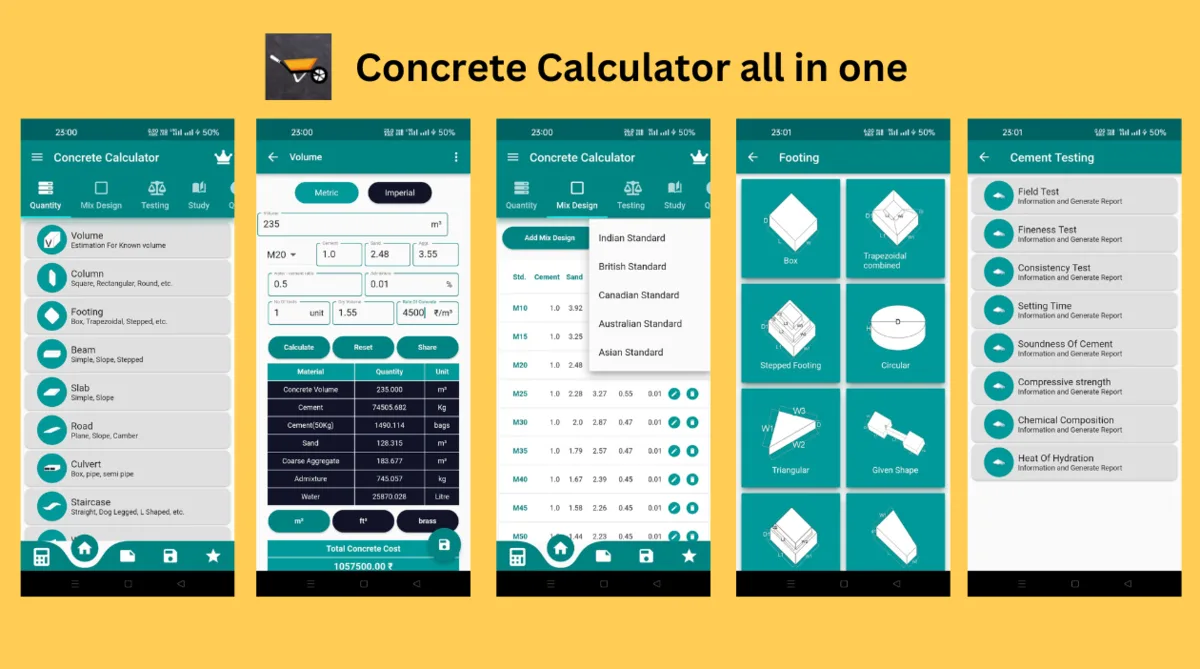
Concrete Calculator All in One can calculate with the Imperial Measurement System & Metric Measurement system. The app also supports a number of themes, so you can choose the color you want. Concrete Calculator All in One is a free Android and iOS application for concrete calculations. The app uses simple tools in the application to simplify the calculations for the construction industry.
The application is divided into parts like the quantity calculator and mix design.
Why Choose Concrete Calculator Pro?
• Versatile Measurement Systems: Easily switch between Imperial and Metric measurement systems for global compatibility.
• Customizable Themes: Personalize your experience with a variety of color themes.
• Comprehensive Calculations: From quantity estimation to mix design, our app covers all facets of concrete calculation.
• User-Friendly Interface: Designed for professionals and beginners alike, ensuring accuracy and simplicity in calculations.
Features at Your Fingertips:
• Extensive Calculation Categories: Including Columns, Footings, Beams, Slabs, Roads, Culverts, Staircases, Walls, and more.
• Robust Mix Design Support: Adapt to global standards with mix designs from British, Asian, Indian, Canadian, and Australian standards, plus the option to add your own.
• In-Depth Testing Tools: Evaluate cement quality, fresh and hard concrete, aggregates, and more with comprehensive testing modules.
• Knowledge Hub: Enhance your expertise with study materials on concrete, cement, aggregates, and a dedicated quiz section to test your knowledge.
• BOQ & Document Generation: Easily create and customize Bill of Quantities (BOQ) documents with integrated calculations.
• Added Conveniences: Save favorites, share results, and access a scientific calculator for all your calculation needs.
3. Brick and Plaster Calculator
Available on: Play Store | App Store
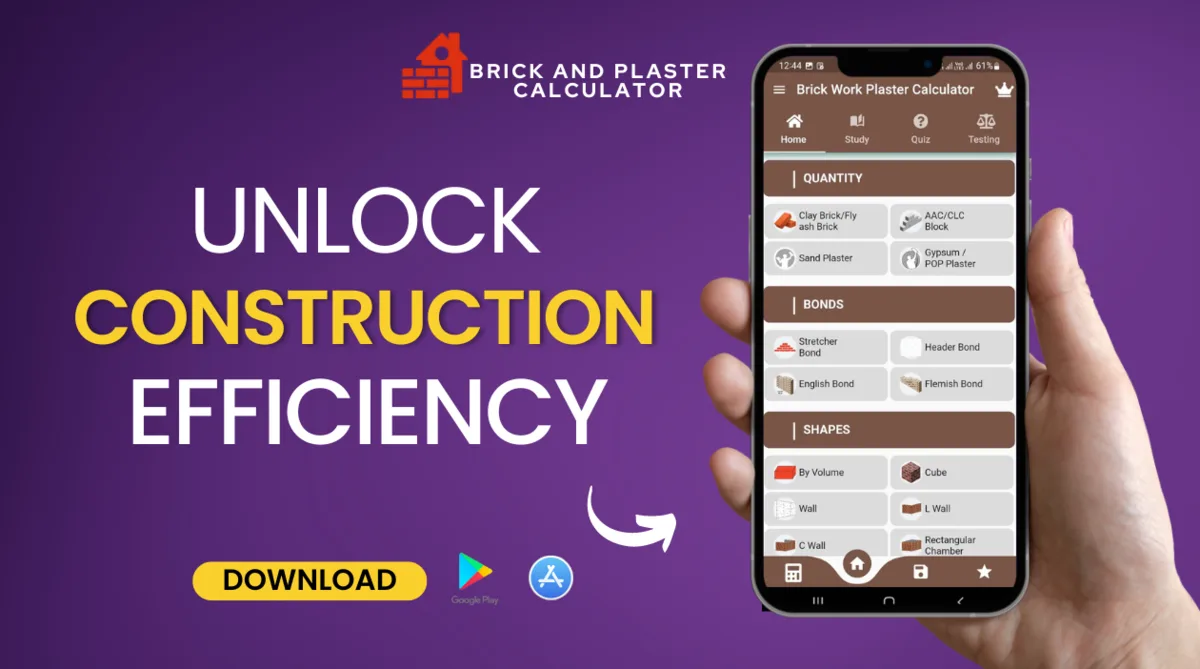
Discover Precision with Every Estimate – The Brick & Plaster Calculator app is an essential tool for civil engineers, construction professionals, and DIY enthusiasts. Precision-engineered, it enables users to accurately determine the number of bricks and plaster needed for any construction project, ensuring efficiency and accuracy.
Designed for the Industry’s Best – Specifically crafted for civil engineers, site supervisors, construction project managers, store managers, new engineers, contractors, site execution engineers, estimation engineers, and more. It’s also ideal for individuals embarking on home projects, offering simplicity and precision for all skill levels.
Benefits:
• Accurate & Detailed: Effortlessly calculate bricks, mortar, plaster, and cement for any project.
• Multiple Materials: Compatibility with Fly Ash, Clay, AAC, CLC, Sand Plaster, and more.
• Beyond Bricks: Calculate volume, mortar needs, cement bags, and cost estimates.
• Easy to Use: A user-friendly interface suitable for beginners and professionals alike.
• Powerful Features: Includes options for Stretcher, Header, English, and Flemish bonds.
• Bonus Tools: Equipped with a scientific calculator, customizable themes, standard values, and answer-sharing capabilities.
Comprehensive Calculations at Your Fingertips – Seamlessly navigate through construction projects with a broad range of calculations, including:
• Fly Ash Brick, Clay Brick, AAC Block, CLC Block
• Sand Plaster, Gypsum, POP
• Volume of Walls, Number of Bricks, Mortar Dry Volume
• Cement Bags, Sand Calculator, Brick Cost
• Bonds: Stretcher, Header, English, Flemish
4. Civil Rebar, BBS Calculator
Available on: Play Store | App Store
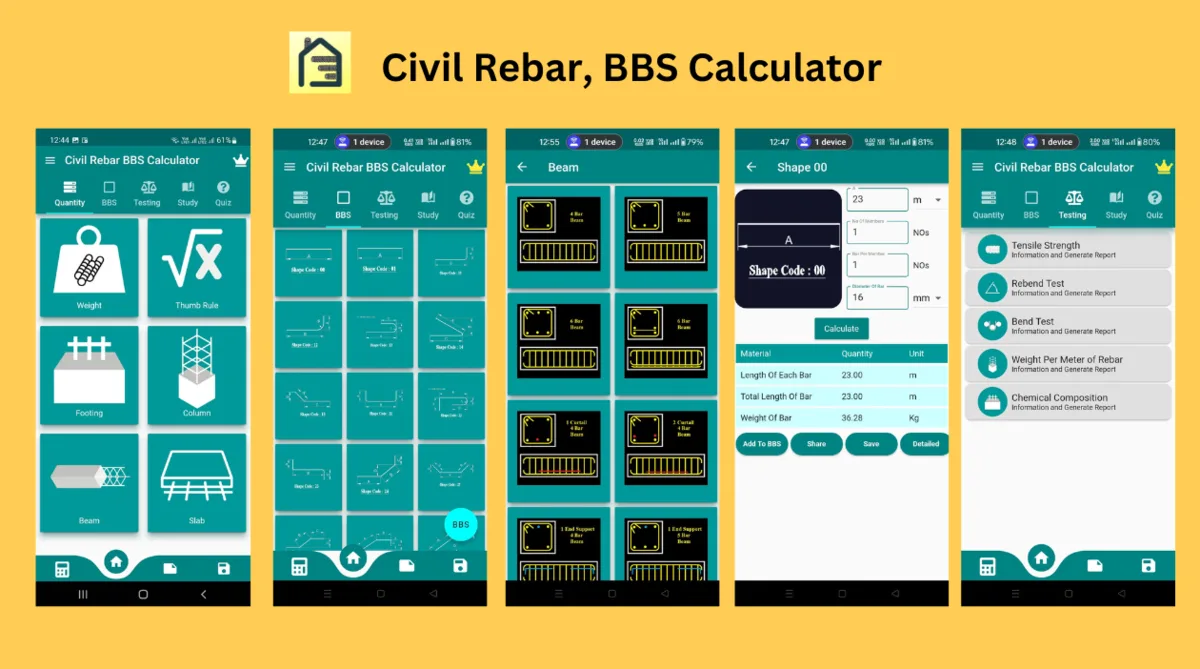
Rebar is your one-stop shop for accurate & fast reinforcement calculations. Get detailed bar bending schedules, weight estimates, and more for slabs, columns, beams, footings, & retaining walls. Ideal for civil engineers, contractors, students, & homeowners.
Key Features:
• Comprehensive Bar Bending Schedules: Easily generate detailed bar bending schedules for slabs, columns, retaining walls, footings, and beams. Our intuitive interface simplifies complex calculations, ensuring precision and saving valuable time.
• Advanced Steel Weight Calculator: Calculate the weight of reinforcement steel with unmatched accuracy. From footing steel calculations to slab steel estimations, this feature covers all aspects of construction steel requirements.
• Versatile Application: Ideal for a wide range of professionals, including mechanical engineers, construction contractors, building contractors, site execution engineers, estimation engineers, and store managers. Real estate agents can also benefit from plot area calculations.
• User-Friendly Design: With its easy-to-use interface, the Rebar & BBS Steel Calculator is accessible to both technical and non-technical users. Achieve accurate construction calculations with a few taps.
• Robust Quantity Calculations: Our app provides detailed insights into the total and individual lengths of bars, the weight of reinforcement steel, and more, ensuring comprehensive project planning and execution.
• BBS Shape Codes & Tensile Strength Testing: Stay ahead with BBS shape code calculations and tensile strength testing features, enabling you to adhere to the latest construction standards and practices.
5. House Construction Cost
Available on: Play Store | App Store
Easily navigate through house construction planning with our free app. Effortlessly calculate material quantities, work costs, and the overall construction budget. Perfect for DIY home builders and construction professionals.
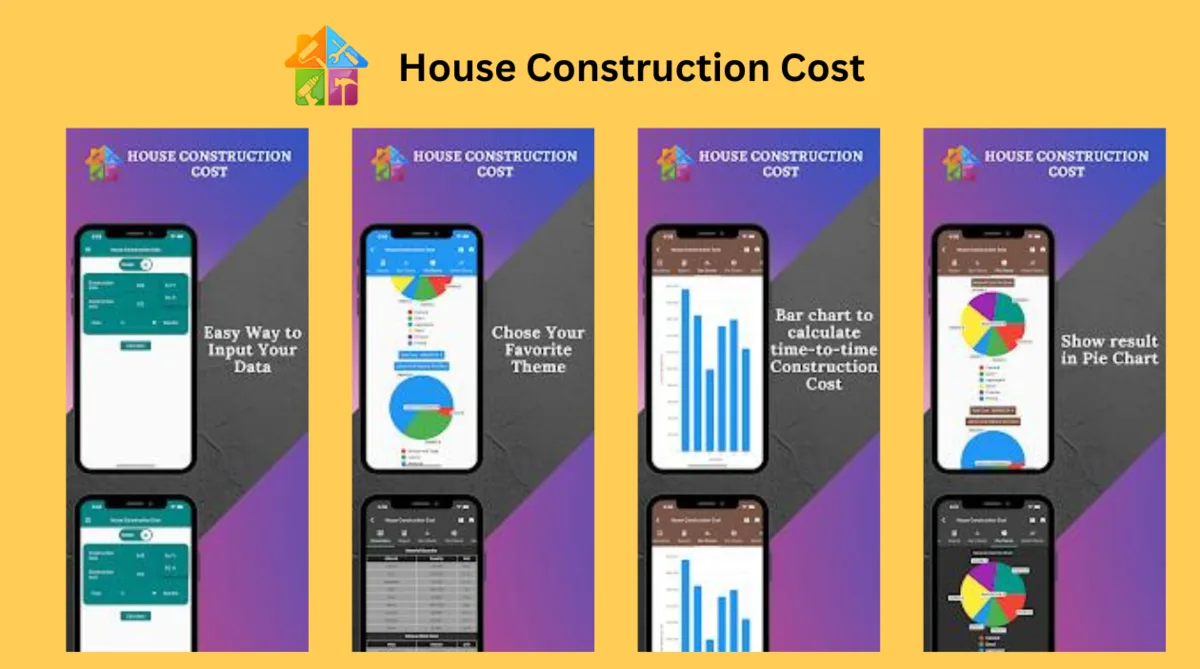
Embark on your house construction journey with “House Construction Cost,” the definitive free tool designed to simplify the planning and budgeting of your construction projects. Whether you’re crafting your dream home from the ground up or are a seasoned constructor, our app provides intuitive solutions to calculate material quantities and estimate the costs of various construction phases.
Key Features:
• Comprehensive Material Quantity Calculator: Precisely calculate the needed quantities of essential materials like cement, sand, aggregates, steel, paint, bricks, and more for each construction phase.
• Versatile Work Cost Estimator: Gain accurate estimates of expenses for crucial construction activities, including excavation, foundation laying, RCC work, and finishing touches.
• In-Depth Calculation Reports: Access detailed reports offering insights into the cost, quantity, and distribution of materials and labor required for your project.
• Visual Cost Analysis: Utilize dynamic bar and pie charts to visually break down your construction budget and manage your finances more effectively.
• Project Management with Gantt Chart: Plan and track your construction timeline, from initial design to final touches, with an easy-to-use Gantt chart feature.
Engage & Plan Efficiently: Our app goes beyond mere calculations, offering a graphical representation of your project’s financial and scheduling needs. From visualizing your budget allocation with pie charts to tracking progress with Gantt charts, planning your construction project has never been easier.
6. Metal Calculator All in One
Available on: Play Store | App Store
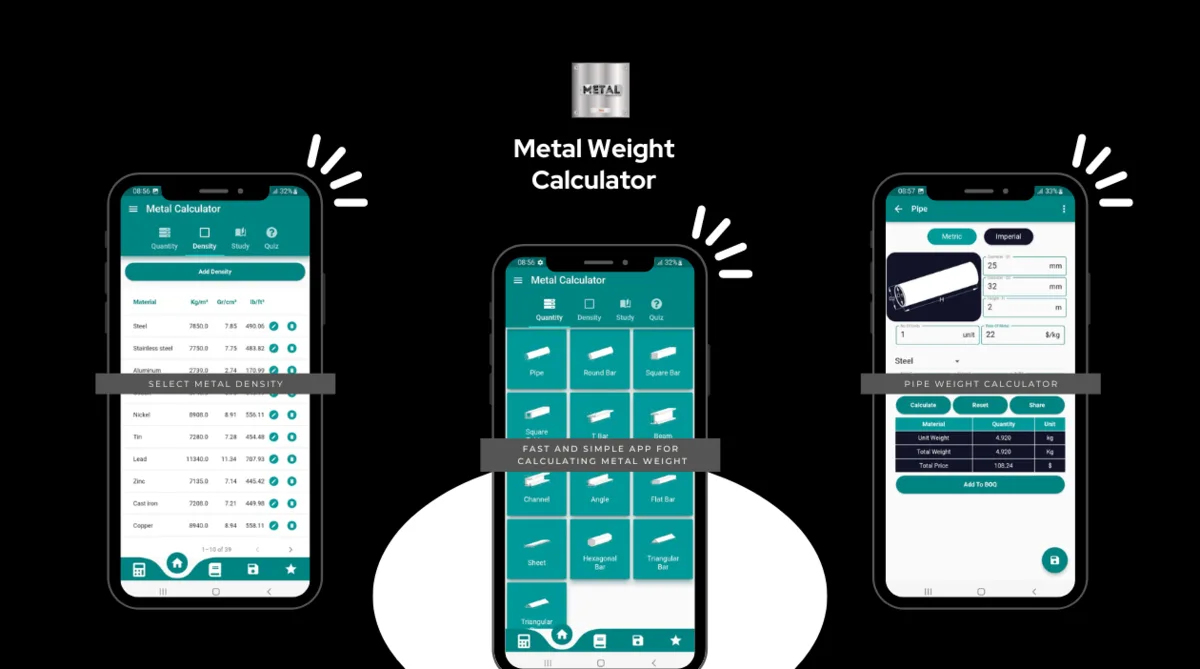
Metal weight calculator can calculate with the Imperial Measurement System & Metric Measurement system. The app also supports a number of themes, so you can choose the color you want.
Metal Calculator is a free application for metal quantity calculations. We use simple tools in the application to simplify the calculations. We help to calculate almost all kinds of metal weight.
The application is divided into parts by shape and type of metal.
Metal Calculator includes-
-Pipe weight calculator, Square Bar weight calculator, T Bar weight calculator, Beam weight calculator, Channel weight calculator, Angle weight calculator, Flat Bar weight calculator, Sheet weight calculator, Hexagonal Bar weight calculator, Triangular Bar weight calculator, Triangular Pipe weight calculator.
Supports-
Steel weight calculator
Aluminum weight calculator, Magnesium, Cobalt weight calculator, Nickel calculator, Tin weight calculator, Lead calculator, Zinc calculator,
Cast iron weight calculator, Copper weight calculator, Glass weight calculator, Coal weight calculator.
This app features-
-Easy and simple to use
-Added Default standard values for Simplification
-Easy interface for everyone
-A non-technical person can use
-Gives accurate information
-Fast in Calculation
7. Unit Converter A1
Available on: Play Store | App Store
Unit Converter is an Android application for unit and measurement conversions. We use simple tools in the application to simplify the calculations in day-to-day Unit conversion. We help to calculate almost all kinds of unit conversions.
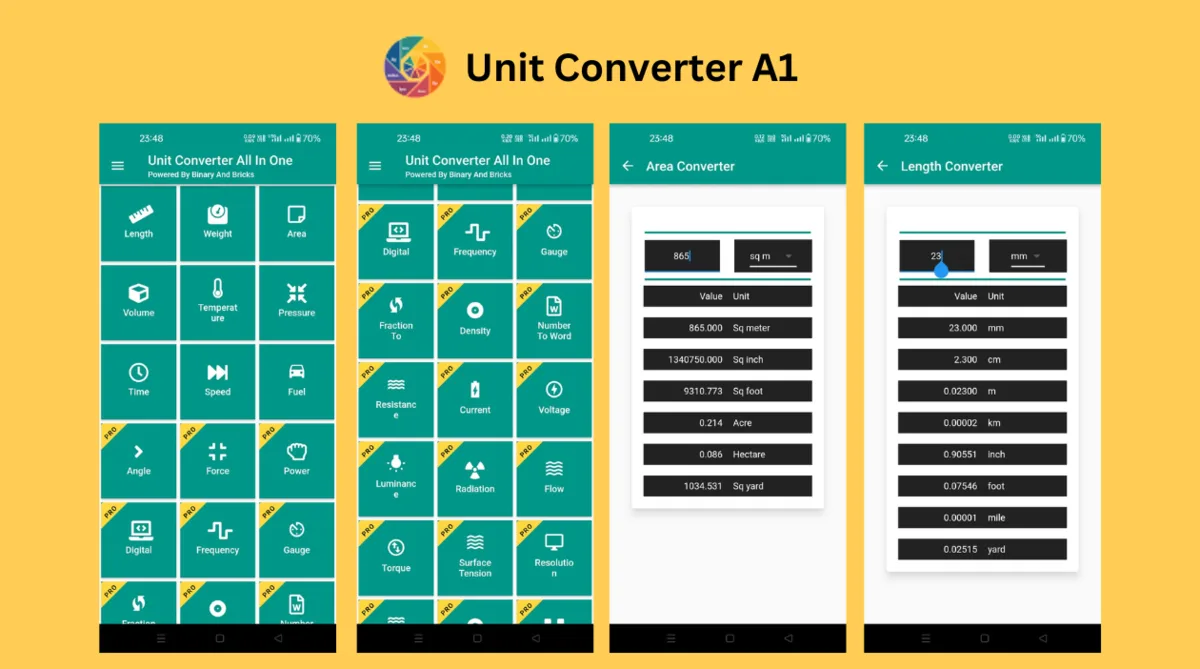
The application is divided into three parts: Basic Converter, Living Converter and Science Converter.
Basic Converter includes-
-Length Converter
-Weight Converter
-Area Converter
-Volume Converter
Living Converter includes-
Temperature Converter, Time Converter, Speed Converter, Fuel Converter.
Science Converter includes-
Pressure Converter, Force Converter, Power Converter, Angle Converter, Digital Converter, Frequency Converter.
This app features-
-Easy and simple to use
– Added Default standard values for Simplification
-Easy interface for everyone
-Non-technical person can use
-Gives accurate information
-Fast in Calculation
Conclusion
For anyone involved in construction, from professionals to DIY enthusiasts, these apps are not just helpful; they’re essential tools that can dramatically improve the accuracy and efficiency of your work. Whether you’re estimating materials, planning projects, or needing quick conversions on the go, I highly recommend installing these top construction-related apps on your device. Available on both Google Play Store and Apple App Store, they’re designed to make your life easier and your projects more successful. Don’t miss out on the benefits they offer—explore these apps and install them today to take your construction work to the next level.